
How To Setup Multiple IPN Receivers in PayPal
Instant Payment Notifications (IPN) allow your applications to receive notifications from PayPal on payments made. This means that your application can fulfill an order automatically upon receiving such a notification. However, when you get your second application up with its own IPN you suddenly find out that PayPal lets you set only one Notification URL.
Of course there’s the whole notify_url charade and counterparts for all of PayPal’s APIs, but, unfortunately, there are cases when you simply can’t get to set those:
- Plugins that are hard-coded, where you can’t alter their core and they just force you to set the URL, so you end up locked in; this may be true for all sorts of applications in all sorts of languages (especially true for compiled ones)
- Third-party billing services like e-Junkie, Kajabi, 1shoppingcart and many others, they just lock you in, and tell you to set the IPN in PayPal
- Subscriptions and Recurring Payments; yep, PayPal does not allow you to bind a specific IPN for subscriptions at all (let me know if I’m incorrect, but I’ve spent days looking at the manuals)
- Multiplexing one IPN to two or more sources, for synchronization, custom alerts etc.
For everything else, modify your forms and API calls to include the notify_url attribute.
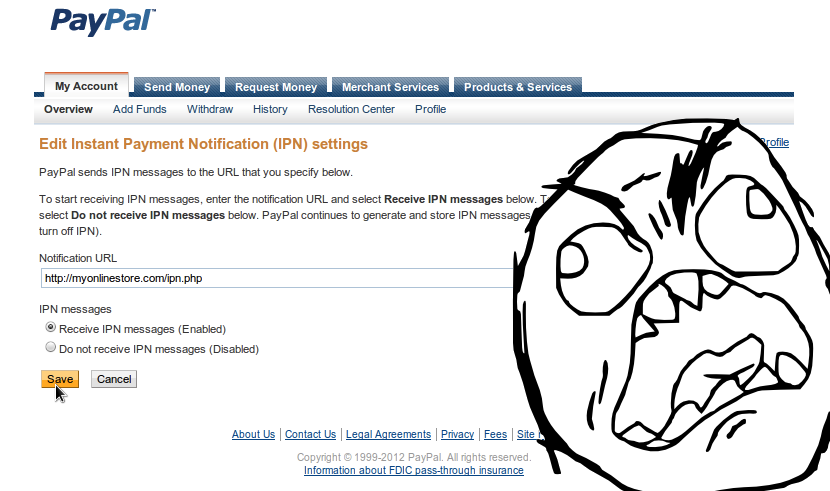
The easiest and most straightforward solution would be to get multiple PayPal accounts, right? Right, BUT:
No Multiple Accounts. Should you register for more than one Personal Account, PayPal reserves the right to terminate all of your accounts and will restrict you from the system going forward. Users may register and hold one Personal Account and either one Premier or one Business Account.
…from PayPal’s Terms and Conditions
So unless you have a separate legal business entity (company) for each Business Account), you’re out of luck. However, there a simple and sweet way to overcome this single IPN URL business – receive IPN and broadcast it.
The concept
An single IPN URL is setup for PayPal to notify your application of payments. The IPN handler code broadcasts PayPal’s payload to other IPN URLs you may have selectively or in bulk.
Advantages:
- multiple PayPal IPN URLs now possible
- no need to change any IPN code unless it filters requests by IP
- can centralize IP filtering into the broadcast IPN, which means easier to maintain when PayPal’s IP ranges change
- can centralize logging
- can have queuing and rebroadcast if satellites (all your other IPN URLs) are unreachable
Disadvantages:
- if broadcast IPN goes down – complete blackout (PayPal will notify you, though)
The code
This IPN broadcast code is in PHP, but the concept is non-language specific. Simply port the code and it will do equally well or even better.
<?php
  /*
   * This is a PayPal IPN (Instant Payment Notification) broadcaster
   * Since PayPal does not provide any straightforward way to add
   * multiple IPN listeners we'll have to create a central IPN
   * listener that will broadcast (or filter and dispatch) Instant
   * Payment Notifications to different destinations (IPN listeners)
   *
   * Destination IPN listeners must not panic and recognize IPNs sent
   * by this central broadcast as valid ones in terms of source IP
   * and any other fingerprints. Any IP filtering must add this host,
   * other adjustments made as necessary.
   *
   * IPNs are logged into files for debugging and maintenance purposes
   *
   * this code comes with absolutely no warranty
   * https://codeseekah.com
  */

  ini_set( 'max_execution_time', 0 ); /* Do not abort with timeouts */
  ini_set( 'display_errors', 'Off' ); /* Do not display any errors to anyone */
  $urls = array(); /* The broadcast session queue */

  /* List of IPN listener points */
  $ipns = array(
      'mystore' => 'https://mystore.com/ipn.php',
      'myotherstore' => 'https://mybigstore.com/paypal_ipn.php',
      'myotherandbetterstore' => 'https://slickstore.com/paypal/ipn.php'
    );

  /* Fingerprints */

  if ( /* My Store IPN Fingerprint */
    preg_match( '#^\d+\|[a-f0-9]{32}$#', $_POST['custom'] ) /* Custom hash */
    and $_POST['num_cart_items'] == 2 /* alwayst 1 item in cart */
    and strpos( $_POST['item_name1'], 'MySite.com Product' ) == 0 /* First item name */
  ) $urls []= $ipns['mystore']; /* Choose this IPN URL if all conditions have been met */

  if ( /* My Other Store IPN Fingerprint */
    sizeof( explode('_', $_POST['custom']) ) == 7 /* has 7 custom pieces */
  ) $urls []= $ipns['myotherstore']; /* Choose this IPN URL if all conditions have been met */

  /* My Other And Better Store IPN Fingerprint */
  $custom = explode('|', $_POST['custom']);
  if (
    isset($custom[2]) and $custom[2] == 'FROM_OB_STORE' /* custom prefixes */
  ) $urls []= $ipns['myotherandbetterstore']; /* Choose this IPN URL if all conditions have been met */

  /* ... */


  /* Broadcast */

  if ( !sizeof($urls) ) $urls = $ipns; /* No URLs have been matched */
  $urls = array_unique( $urls ); /* Unique, just in case */

  /* Broadcast (excluding IPNs from the list according to filter is possible */
  foreach ( $urls as $url ) broadcast( $url );

  header( 'HTTP/1.1 200 OK', true, 200 );
  exit(); /* Thank you, bye */

  /* Perform a simple cURL-powered proxy request to broadcast */
  function broadcast( $url ) {

    /* Format POST data accordingly */
    $data = array();
    foreach ($_POST as $key => $value) $data []= urlencode($key).'='.urlencode($value);
    $data = implode('&', $data);

    /* Log the broadcast */
    file_put_contents('_logs/'.time().'.'.reverse_lookup( $url ).'-'.rand(1,100), $data);

    $ch = curl_init(); /* Initialize */

    curl_setopt($ch, CURLOPT_URL, $url);
    curl_setopt($ch, CURLOPT_POST, 1);
    curl_setopt($ch, CURLOPT_POSTFIELDS, $data);
    curl_setopt($ch, CURLOPT_RETURNTRANSFER, true);

    curl_exec($ch); /* Execute HTTP request */

    curl_close($ch); /* Close */
  }

  function reverse_lookup( $url ) {
    global $ipns;
    foreach ( $ipns as $tag => $_url ) {
      if ( $url == $_url ) return $tag;
    }
    return 'unknown';
  }
?>
Grab the source here: Multiple PayPal IPN Broadcast PHP Script
The script is quite simple:
- be ready to receive an IPN from PayPal
- construct a list of broadcast targets by looking at the IPN data
- broadcast (the script uses cURL as you can see)
You can remove any fingerprint filtering and have this central IPN broadcast to all your URLs regardless, but filtering is a good idea. Nothing beats the custom IPN POST variable, if it’s possible have all your payments go to PayPal with a unique prefix in the custom field and then filter based on that prefix. Refer to the PayPal IPN variables list in order to construct reliable fingerprints.
PayPal Business Accounts can also have up to 8 associated non-primary e-mails, so you can build a fingerprint based on the receiver_email IPN variable instead.
Remember to always verify all IPN requests with PayPal in your satellites or in your broadcast IPN (check PHP PayPal IPN script example).
The conclusion
Thus, multiple PayPal IPN with one PayPal account is absolutely possible and is not too difficult. I’d love to hear what improvements you do to this snippet, so give me a shout anytime.
Thank you! Just what I was looking for and that rage face image is so fitting to how I felt when I noticed only one field for an IPN address
The problem here is that specified IPN URL in the user dashboard can be (and is) overwritten by services such as Wufoo and Fetch APP, which means this ‘broadcaster’ will not even be reached!
To clarify, as mentioned in the post Wufoo (for example, sets the ‘notify_url’ parameter, which will mean only that specific URL is used – boo)
Such a pain hey.
Rob, if Wufoo sets the ‘notify_url’ parameter the broadcaster is not required, since PayPal knows where to send the IPN and the broadcaster is irrelevant. If the broadcaster is required for other purposes, such as logging, etc. then some modifications in Wufoo, such as hooks shall have to be used. Let me know if I’m missing the point.
Wouldn’t it be safer and easier to just issue a 302/303 redirect instead of re-sending the data using curl?
Yes, that probably would be much better. Thanks for sharing! 🙂
Hi,
If you use a 301 redirect it will only be sent to one place, to send multiple requests you have to use curl to connect separately to each of the IPNs you are multiplexing.
That is absolutely correct. Which is why I never implemented the suggested change.
I’m not a coder but I need this! Could you help me figure out how to install this for what I’m doing? I’m not sure what I need to put where..
kevin[at]cloutlab.com
Kevin
I mailed you, Kevin.
Soulseekah, I’m in the same boat. need to set this up but I’m not a programmer…any chance I could hire you?
I sent you an e-mail requesting more details on your particular case. Thanks.
Dear Souseekah,
I’m lacking some skills to understand how to do this.
Any chance you could give me a direction too?
Thank you in advance.
Pedro, have you talked with your developer about this? The stuff above is pretty simple so I’m not sure how to explain it even further. Try reading the post again, then all the comments, should help. If not have your developer contact me via e-mail (Contacts page) with any questions they have.
Hi Soulseekah, The post and the script is very useful to many of us; thanks for sharing, but can you put or send me some instruction, where I can run this script?
Many thanks mate! Great Job!
Followed up via e-mail.
Dear SoulSeeker,
I would love your help please because I am not a coder but I need to use your code so that Paypal will receive payments for two separate subscriptions i have, and send them individually onto MailChimp for me. My hope is that Mail Chimp will grab the name and email of my new Subscribers, add their name to the daily sheet and send them an autoresponder ‘Freekin A’. Can your code do this for me, and can you instruct me as you have others please?
Sent you an e-mail, get back to me.
Soulseekah, same here. Not that tech savvyy, how do I implement that on my sites? Thanks!
Edit the example file to suit your needs (you can remove the fingerprints part in most cases), upload it to your server and set the PayPal IPN URL to point to the file you uploaded. Shouldn’t be difficult to find some paid help around. Good luck.
Even Im not a techie, or a coder.
Im going to use in two different Woocommerce websites, Can you help me in this regard. It would be a great help.
Thanks a lot in advance.
I’ve sent you an e-mail.
I see you’re a big fan of sending emails 🙂
Im running wordpress and need it so two plugins (gravity forms and event espresso) can both send IPNs to paypal.
How do I set up and install this script?
justlevine[at]gmail[dot]com
TIA!
Not a big fan of sending e-mails, sorry for the delay. It’s fairly straightforward: You need to replace the URLs in the PHP file to point to your IPN endpoints and then upload it to your server set the IPN URL in PayPal to point to the PHP file on your server. Still mailed you.
Yeah, same here. Pls help. Does this $_POST[‘custom’] variable is really ‘custom’ or is it some variable from returned paypal ipn variables I can customize? This would be great help. And, does it have anything to do with return_url. Coz if it is from different sites, I will have to specify different return url per site. :’( Im still googling about this. Please help Thanks a lot
Charm, yes, the `custom` is a value that you supply in your form and contains arbitrary data. The `return_url` is the URL which visitors are taken to after paying. You can view all the available variables and their descriptions in https://cms.paypal.com/us/cgi-bin/?cmd=_render-content&content_ID=developer/e_howto_html_Appx_websitestandard_htmlvariables
sorry if im making this a QandA which is supposed to be just a comment box. I just cant seem to find any lead somewhere else. Just here. Well, I have set my return_url in the merchant acct. But, since the case is I have different websites which are totally different from one another in purpose, the problem is, how can I tell paypal to redirect back to a page related to where it came from. Assuming I have website A and B, if the paypal buy now is clicked from website A, how can I tell paypal to redirect back to A? I have set a path for return_url in the ipnconfig to where it should redirect but in my own observation of the behaviour of paypal, it does not overwrite the return_url set in the merchant account settings. Thanks.
You use those variable when constructing your form. Please refer to the documentation here https://cms.paypal.com/cgi-bin/?cmd=_render-content&content_ID=developer/e_howto_html_formbasics it should work no problem.
Why not just use Paypals own “notify_URL”? If this is used on button code the IPN you have set in your account will become null and use the url you specify in “notify_URL”. Easy, fast, works!
Exactly, Kevin!
You Do not understand the requirement Kevin, Paypal only allows ONE Notify URL
This code is like a Distributor to re-direct to Multiple IPN
Hello,
fine, that works!!
Unfortunately one problem: The IPN is too fast. So it goes faster to my online order processing as the order message from magento. The paypal IPN is 3 seconds faster, so the papal IPN cannot be assiged to the order (which is received three seconds later).
Could there be a possibility in the script to delay the ipn message per listener point by x seconds?
Perhaps:
listener point 1: delay = 0 sec,
listener point 2: delay = 3 sec,
best regards,
hub
Yes, look into https://php.net/manual/en/function.sleep.php, the PHP
sleep()function.I need help with this, I’m not much of a coder – could I hire you?
I currently have site 1 through aMember and site 2 is an open source shopping cart.
Both use paypal pro.
Sent you an e-mail; most of the time the broadcaster is not required at all. I’ll be glad to help you out.
Hi,
I have set up your code (thanks!!), and it seems to be working too good.. I am getting the IPN twice on every location I specified in $urls.. maybe even three times. What could possibly be wrong?
Lots of things could be going wrong; you’d need to setup logging to capture the IP address of whatever hits your broadcast, and make sure that it gets hit only once per IPN. You may also paste your code to pastebin and send it over for me to have a look, since you modified the URL something may be amiss, who knows. Good luck in finding out.
I didn’t change much of the code, just commented out the “fingerprints” and changed $ipns to my own URLS.
Both url’s have their own parameters too, like:
‘mystore’ => ‘https://something.com/?paypalListener=IPN’
Could this be the problem?
I’m not much of a programmer, took me a few hours just to figure out how to install your script right. Could you point me to a good direction as to how to set up the broadcast logging?
thanks!
I send you my contact details to the e-mail you posted your comment with; contact me I have a couple of spare minutes to investigate your issue.
Hi,
This would be very helpful, I am setting up multiple IPNs now for my Paypal account.
But can you elaborate it more how to install and use this?
Because what I know on the IPN section of paypal is to place the url, so how can I do this with this approach of yours?
Does this means I do need to host this php file on my site and place it as the IPN URL?
Example:
https://mysite.com/paypal-mul-ipn.php
copy this url and place it on the IPN URL on paypal.
Am I getting this right?
Thanks for any insight, and hopefully you can help me out.
Yes, this is right. However make sure you really need this, and you can’t set the
notify_urlin your forms, buttons or APIs.Hi Soulseekah, thanks for the immediate reply, but what do you mean of ” you can’t set the notify_url in your forms, buttons or APIs.” ?
Semaj,depending on the way you’re integrating PayPal into your application, you’ll have to read the documentation if you want to understand this https://cms.paypal.com/us/cgi-bin/?cmd=_render-content&content_ID=developer/howto_api_overview in short there are variables you can set when using the APIs to dynamically modify the IPN URL on a per-purchase basis if you want. You can look at some PayPal tutorials around in Google.
Thanks for everything Soulseekah, I just use the advance features on the Button configuration and use some custom variables available on paypal.
Hi,
May I know how to install this? Also how to add new finger prints? I don’t to how to add manually. Thanks!
John, installing this is quite simple, drop it into a server which is accessible by PayPal and has the cURL PHP libraries. You can get your developer to help you set them up to your particular needs.
Hi Soulseekah,
I have ipn configured for my website, in which i use an addon email for the payment.
But ipn returns my default email in the ipn message which is not recognized by my membership plugin as the email to which payment has been sent is different and the ipn message payment is different.
Do you have any idea how to resolve this, and how can i get an addon email sent from an ipn message without changing the default email and without changing the payment email on my website.
Thanks
According to https://cms.paypal.com/cms_content/US/en_US/files/developer/IPNGuide.pdf the
businessvariable in the IPN is “…Equivalent to the values of receiver_email (if payment issent to primary account)…”, which means that it will otherwise contain your secondary e-mail.
If you look at your IPN in your IPN History you’ll see this containing your secondary e-mail address (the address that the payment was really sent to). You should modify the membership plugin (or contact the developers with a bug report and a nice patch).
According to the guide,
receiver_emailis “[the] Primary email address of the payment recipient (that is, the merchant). If the payment is sent to a non-primary email address on your PayPal account, the receiver_email is still your primary email.” so checking thereceiver_emailis not the correct way to validate the payment and is a very common mistake put forth by tutorials online and made in code. In fact, the guide itself fails to mention this important subtlety when providing guidelines on which variables to check and which variables to disregard in an IPN message.Hope this makes sense, good luck!
I *think* this is what I need…. but its a bit over my hed to be sure. I have two separate websites that both want the IPN field filled out in a specific way. Will this help me fix my problem. How do I set this up, this post is far to detailed for me to understand,
Bruce, you need in rare cases, when you cannot set the `notify_url` variable in your form by any means (closed source, core code, etc.); what is your setup? Does your code allow you to pass the `notify_url` variable along?
Hi thanks for this script I have 3 application I would like to use each have their own ipn I have replaced the ipn you had set but I am not sure what to do for the
/* Fingerprints */ section of the code any help appreciated
That section can most often be simply omitted and have all IPNs be multicast to all endpoints without being filtered for any particular one. Most endpoints will simply ignore the invalid IPNs and only the one that it was meant for will accept it. Does this make sense?
This is what I need to do as well, I have one site working perfectly, with woocommerce and subscriptions and so on, selling a monthly newspaper, and another site that I sell single issues and subscriptions one a weekly basis. Different newspapers, different sites, using the same commerce software, and I want to use the same Paypal. IPN is giving me headaches.
Is there a form within the website where we change the “notify_url” for the site your using the standard paypal gateway?
Would be great if PayPal would just build in the ability to use multiple IPN.
Trevor, each of the payment gateway components should ideally be setting a `notify_url` variable when sending forms. You should read through the source code to identify those components which do not (or cannot) do this and figure out how to proceed best, by either altering their code or setting up a multiple IPN broadcaster.
Hello Soulseekah, I tried to configure the script by myself, but I think I will need some assistance. Could you send me your terms?
Sent you an e-mail requesting more details.
looking for help setting this up so i can use both whmcs(paypal) and voip.ms ipn
Willing to pay for help if your still available.
Thanks in advance
Mikram, mail me on gennady[at]kovshenin[dot]com, but only if you’re sure you need a broadcast and your forms don’t set the `return_url` variable. I’ll be glad to guide you on reconfiguring the IPN routes and answer any questions you may have.
I have a wordpress website where I accept payments for a membership (using wp eMember), but a separate piece of software requires an IPN notification as well to set up the accounts automatically. So the IPN needs to go 2 places. As I gather, this script would do it for me. Am I right? If so, can I possibly employ you to set it up? I can probably do it… but you’re obviously much more experiences with this than I.
I would like to ditto mvancleve’s comment. I am a website site user, not a developer and I would also like to know if I can employ you to set it up for me. I have nearly the identical problem. I have a member site using S2Member on WordPress and also a store on Corecommerce, both needing an IPN.
Sent you an e-mail.
Just wanted to say thank you for this wonderful script, it worked perfectly!
I have 2 Opencart websites, I need to now use a single Paypal account to process the payments for each site, I have read all the comments and realize that I could do with your professional help in setting this up, please can you send me your costs etc.
Nigel, believe it or not there have been no cases where the broadcaster was required by people here so far.
Anyone who contacted me for help ended up employing the `notify_url` variable instead.
The broadcaster exists for the few obscure reasons mentioned at the beginning of the article.
In any case, I sent you an e-mail to sort things out.
Hi,
i am not sure if your code can help me. I have two different websites with their own WHMCS and am using the same paypal account. Paypal only provides one IPN website and i have two.
Is this something that can help me with that?
Not familiar with WHMCS, I’ll need access to check it out. Dropped you an e-mail.
Yes, it works, I use WHMCS too. Just have to point to where WHMCS is installed for IPN. For example, if it is installed in a subfolder, it will be something like:
https://yourdomain.com/whmcs
Thanks for your comment, David. Doesn’t WHMCS generate its `notify_url` values automatically like normal software is supposed to? Or does the issue pertain to something more sinister?
I don’t know why, it stopped working all together when I started to use e-junkie and other shopping carts, notify_url didn’t help either. This saved that problem 🙂
This is just what I need! Can I hire you to set it up for me? When it comes to people’s money, it needs to be set up right! Thanks…
Sharon
Mailed you back for more information. As I said, most systems today spew out a `notify_url` so you’ll probably not require the code above, but I’ll be happy to have a peek at your setup and advise you on how to best proceed without charging you cent.
Hey Soulseekah,
I am a medium level type on messing with code. I do not write it thats for sure!LOL
My question is I simply need to know the edits to make. Once you show me the way it goes I can take it from there.
I am 100% sure i need this script. I am using gravity forms which have their own ipn destination script and I am using another fundraising script with its own ipn destination. I also believe I will have about 3 more unique ipn destinations when I am done.
So just email me your conditions and what-not and I would appreciate any help.
Thanks M.Byrd
Each script should be setting their own
ipn_urlon all payments. Most of the time everything works out of the box. I still e-mailed you to sort things out.I need to do this, and while I am fairly good with coding I am far from pro and really don’t want to mess with it and screw up, haha. Did I miss something, – or is it not stated which file that code needs to go in? Will this work with Zen Cart? I currently have my IPN URL set to my Opencart site but I have 3 other websites I am working on that will be with Zen Cart. An email would be much appreciated 😉
Marcy, you should not require the code above at all unless you’re doing subscriptions. Both ZenCart and OpenCart set the
ipn_urlin their payment forms last time I checked. I encourage you to test it out by performing test transactions (either using a Developer account with PayPal or setting the price to $0.01) to see if that’s the case. If this doesn’t work, let me know and I’ll get in touch with you for further investigation.Hi,
I have need of a ipn listener/handler that does a few extra things and was wondering if you do this sort of thing for people on a freelance basis? I don’t want to fill your comments up with me talking about what I need so if this is something you might be interested in then please drop me a quick line. I was just doing some research on this before posting a job on Odesk.com
Thanks
Jim
Jim, e-mail incoming 🙂
Hello,
very good post. Im not some php pro and have one question. To be broadcast be redirected to good IPN, it need to be added in fingerprint area?
No, fingerprints are only used to filter out and selectively pick an IPN destination instead of an anycast type of retransmission. In short, it means that you can remove the fingerprints area completely, and have the code retransmit the incoming IPN to all endpoints. Each endpoint is expected to behave well in regards to IPNs that are not meant for it (fake, illegal IPN payloads), meaning that an IPN meant for shop A will not be an inconvenience when received by shop B and C as well; shop B and C should be able to ignore or discard such IPNs out of the box. So simply removing filtering (fingerprints) should work well with stable code. Does this make sense?
First of all, thank you for really fast answer and explanation.
Looks that i didn’t asked right question.
When i upload reciever and add his address to paypal, where to add address of mine existing IPN processors who need to get that notifications?
I suppose its this part?
/* List of IPN listener points */
$ipns = array(
‘mystore’ => ‘https://mystore.com/ipn.php’,
‘myotherstore’ => ‘https://mybigstore.com/paypal_ipn.php’,
‘myotherandbetterstore’ => ‘https://slickstore.com/paypal/ipn.php’
Yes, you have to change that array; the keys (“mystore”, “myotherstore”, etc.) can be whatever you like, the URLs should be the IPNs for each store. Let me know if this doesn’t help and good luck!
I think that i configured it right. Thank you for help. I will know in 1-2 days is it works. If you have free 2-3 mins to contact me via mail or skype just to check it. I already started to spam here 🙂
Configurated and works perfect. Thanks.
Will be nice to add some PP address for donations.
Excellent. Donation link is above called “Buy me some tea” https://codeseekah.com/tea/ sorry for not being obvious.
Hi Codeseekah,
I reckon this could help me replace the zapier zap I’m using at the minute.
I’ve got 2 websites running S2Member which use 2 different IPNs…I think I know how to implement this code, can i just check that i’m on the right page?
1 – grab .php file and host it on my server
2 – change URLs in:
/* List of IPN listener points */
$ipns = array(
‘mystore’ => ‘https://mystore.com/ipn.php’,
‘myotherstore’ => ‘https://mybigstore.com/paypal_ipn.php’,
‘myotherandbetterstore’ => ‘https://slickstore.com/paypal/ipn.php’
);
I only need 2 so can I just leave the ‘myotherandbetterstore’?
3 – point paypal towards https://myserver/ipn.php
that’s it?
Ryan, that’s pretty much right. Did it work?
Hey! I think this script is exactly what I’m looking for. I need some assistance in setting it up however. I am running two different databases that needs the same values to work with my website and another service (a game server plugin for checking in-game user groups).
Please contact me with your terms or if you think you could help out.
Best regards 🙂
Emanuel
Sent you an e-mail. Broadcasting one IPN payload to several endpoints is pretty straightforward with the code above.
After reading a ton of paypal docs, internet searches and email discussions with 1 differen software vendors (that I need to inerface with) I figured out that I needed a “paypal listener” that mope or less does what this is described as doing. In my case I need to send a single IPN message from paypal to two different “things”. The fiirst is the paypal button payment logic (a joomla extension), which then authorizes a download of desktop software I’ve developed. The second is a software licensing servcice, when they get the message they send the purchaser a key to be entered into my software that I then react to and allow to execute.
I’ve asked both of those vendors what they thought of this approach, my concern is that based on the paypal docs I’ve read that there is interaction between paypal and anyone who sends them payment information, ie. it isn’t just a single handshake, but return message trafic to ask paypal, “ok, was it valid” following the initial receipt of the IPN message. Am I correct or just making the problem more difficult?
If I get a positive reply from these two vendors can we discuss you modifying this for me? I’m an experienced programmer / analyst, etc. (now retired) but the experience is mainframe assembler and desktop C++, php would be an entirely new world for me and I would expect that there are nuances of internet programming that take a lot of experience to understand and I’d hate to make a purchase experience on my site bad when I finally roll it out.
In addition to what this does already I’d want a database to be updated (doesn’t exist as yet) with purchase details since I don’t intend to require registration to purchase but I do want to be able to communicate with a purchaser for subsequent add-on or releases.
Thanks – Mike
I’m a bit confused by what I’ve read, not sure what goes where and how – the setup is quite difficult to grasp from the above description. PayPal has several APIs that have different flows, the regular button/form API (PayPal Express Checkout API) has a `notify_url` variable that can be set to let PayPal know which endpoint to contact for this particular payment. So your Joomla extension is using this API it seems.
As for your second service, the “software licensing” one, if it acts on this same payment information it should probably simply get contacted by the Joomla extension directly to signal a new payment (after the IPN comes in and is properly verified), or contact it directly (to get pending verified payments) and then act based on these payments. Alternatively, you could set the IPN to contact your licensing service instead, if you can get away with not having Joomla know about the payment.
I don’t really see the need for the code that I provide above, it’s very rarely useful, since you’re working with good old Express API, no subscriptions, no routing or duplication required, nothing. You should be able to get away with writing a simple bridge between the two services if data consolidation is required. i.e. you shouldn’t have multiple endpoints listening for the same IPN unless really required somehow (or you’d like to verify the payment at every node against PayPal), which is yet to be proven. I’m going to contact you via e-mail to see what is really going on there if you’re willing to follow up and explain more.
Soulseekah,
Im going to ask you the same question that everyone else seems to have asked you. Im hoping you can assist. It looks like you reply to everyone by emailing them ???
I have two completely seperate WP sites each which have their own PayPal systems. This problem be completed if PayPal had an area to insert 2 IPN URLs and the additional PDT ID but they dont. My first site is setup and works fine.
Im in PayPal now and am trying to setup a second URL as I require a PDT ID token. No doubt if I steal the token that is already written there it will relate to my first URL and throw things right out of whack ?????
Im not a developer and but can follow basic instructions in WP? If you can assist.
Thanks heaps
Mailed you for further information. As far as I remember PDTs aren’t tied to any specific domain, so you can get away with verifying the PDT tokens on any of your sites. By using the `return_url` and `notify_url` you should be able to get away with almost anything.
Man thanks so much for this! Getting but kicked trying to implement. Wanting your expertise and happy to pay or buy you plenty Tea 😎 Please e-mail me.
tanks MOn!
Sent you an e-mail.
I actually contracted with a guy through Elance who modified this fro me and then installed it on my joomla site. The modifcation was to dispense with the filtering logic then to set up and update a mysql db with each IPN message from paypal. That way I had a record of IPN messages that I could use to audit paypal.
Mike G – care to share that mod? I would be interested.
Mylogon,
Sure, be glad to share. email me –> mike.gaskey@gmail.com and I’ll send you a copy.
Mike
Hi there soulseekah,
Reading over these posts it seems I have the same issue.
I have two wordpress sites that need an ipn. I have some coding experience but its not that great 🙂 Happy to buy you some Tea in exchange for some help 🙂
Thanks in advance
Well so far nobody needed the code above, since the IPN can be set in the `ipn_url` variable in your code.
I’ve mailed you for details.
Hey soulseekah,
Thank you for this script. I have made some variations to your script ie to get it working with the receiver_email and a 302 redirect instead of cURL. However I am not a coding expert and would appreciate it if you could check on it once,
https://pastebin.com/RFW0mudj
Thanks!
Looks OK, except for a couple of tiny mistakes (`$emais` vs. `$emails`), also add `exit()` after the redirect headers. Redirecting looks useful overall if PayPal follows 302’s. Let me know if it works as expected after all adjustments; replacing a cURL call with a redirect is a fantastic idea which I think is worth implementing.
Thank you for your response.
I have a doubt, if I include the exit(); tag, would the data be logged? Wouldnt PHP stop executing the logging code which is at the bottom?
Would adding the log( $url ); function just before the exit tags help?
Yes. Log before. Whatever works for you.
Note that a redirect will not allow duplication of the IPN, only single re-routing, meaning the fingerprints have to match one and only one IPN destination, so be careful with this.
I have a question could you help me set this up i run a few online services and really
dont want to mess up while setting this up.
$ipns = array(
‘mystore’ => ‘https://site1.com/myipn.php’,
‘myotherstore’ => ‘https://mybigstore.com/paypal_ipn.php’,
So far i follow but does it matter what code i have in my IPN? example for membership
i use specific variables.
Thanks
The IPN payload is preserved as is and has to be expected by the relevant IPN handler. Let me know if you need any additional information.
I have two completely different systems that need IPN’s sent to them for payment verification. One system is WHMCS and the other is Buycraft. Could you please email me so i can get this working correctly?
Cheers.
If you’re sure things don’t work out of the box then I’m contacting, sent you an e-mail.
I’m sorry to sound repetitive. I’m expanding and looking for help. I’m on ebay and have one full fulfilment script for that and uses the only IPN I have. I’ve also setting up a e commerce site also on the same site and on a backup site. The shopping cart use IPN and will direct customers to a download page when payment clears. The other script does the same thing. I’m not a code guru and would like to know if you can help. Sent me details on the cost please. Once I see the code and how to setup on the host a light goes off in my head. I’ve looked at your script and the 302 redirect mod the other poster wrote about.Thanks
Sent you an e-mail with more information.
I have been trying to find a way to duplicate, if that’s the right word, my IPN from my PayPal account as I need to send them to one URL for an admin system for a third party but also want to use the details for my own website to tie into an affiliate system I have.
I have the code used for my buttons and the IPN URL but no code for their script so I have no idea what their script asks for. Do I need their script to see what variables they have sent to them or does PayPal send them all and their script gets the ones they need?
If possible I would like to chat further about getting this done by someone who obviously knows how to do it as so far I have spent three weeks with a coder that promised but looks like failing.
An email would be great if you have the time.
BTW I am not a coder of any description.
Sent you an e-mail. Duplication of one IPN message is something the above code is purposed to do.
Hello Soulseekah,
I am using opencart for 4 of my stores. My initial store was just the /au store so I had the following under the IPN configurtion on paypal:
https://www.gano2u.com/au/index.php?option=com_mijoshop&route=payment/pp_standard/callback
Now, I have 3 more stores come up /us, /in, /nz
I am not sure if I get the above script right. Can you suggest as to how the script would be for my stores?
I dont mind buying a coffee for this 😉
Thanks,
Gurdeep.
OpenCart will set the IPN URL for you automagically, try it and get back to me if this doesn’t happen.
Hello Soulseekah,
I have 3 different sites where ipn is needed. But i don’t know how to configure the fingerprint part. Which site belongs to which fingerprint?
You can remove the fingerprints altogether unless your IPN handlers can break due to IPN data collissions. Fingerprints are only used to filter our IPNs instead of broadcasting them to all listeners.
There is this https://ipnbroadcast.tk website which I am unsure of using or creating my own broadcaster.
But i like this code, and thank you for sharing it!
Interesting, although I don’t think everyone would feel comfortable with their customer and transaction data going through a third party.
This may be what I’m looking for. I am using a wordpress site with AWPCP plugin for paid classifieds. I’m using an affiliate program with hard coded affiliate links for each US State/City to track sales to my representatives in each geographic area. The AWPCP plugin uses the Notify_url in the button to process the successful payment for the ad. I really need to use the IPN also for the affiliate since I am having trouble using an embedded code and getting it to register sales. I’m just not sure how to set it up!
David, you can either have AWPCP send the IPN data over to the affiliate program by modifying its code (hopefully there are actions and filters) or use the broadcasting script from above.
It would be perfect if I could have AWPCP send the IPN, but I have no idea how to code it to do that!
I glanced over the code and there’s a
awpcp-process-payment-transactionaction that can be hooked into during an approved payment. This could be used to send the IPN back to the affiliate system with some logic in-between perhaps. Send me an e-mail with some more information about the affiliate system, for example, can it process bare IPNs and know the affiliate from them? Is there any chance an affiliate is paid twice by mistake if the same IPN is sent twice? You’ll find my e-mail in the “Contact me” section above.How does this script actually work, can u explain? I tried it but it doesnt seem to work 🙁
The script handles all IPNs for a PayPal account (i.e. a link to it is setup in PayPal’s IPN URL setting as the default handler).
Once an IPN comes in the script will try to identify which real IPN handler it belongs to (shop 1, shop 2, etc.) and send a copy of it to the one identified.
If nothing is identified (no fingerprints are setup) then the IPN is simply copied to all the handlers.
Overall it’s simply a proxy that takes an IPN and resends it as is to some other IPN handler.
There may be many reasons to why it didn’t work: incorrect setup, the IP address is filtered (i.e. the real handler expects PayPal IPs to send the IPN, not some other IP), and others depending on what you’re actually trying to do. Hope this helps, good luck.
Hi i would like help with getting this setup too can you please email me with the details
thanks
You can find my e-mail in the Contact Me section on my site. Mail me as many details as you can so that I can provide you with some tips.
I have to get Paypal IPN to track my affiliate payments , i am some questions about the script , i am no programmer .Should there be made any changes to the script ? i want to check out from which URL my affiliate comes and pays so that i can pay them back.It will mostly come from 1 site right now so there will be something like .php ? aff=34 or 35 .Could you please help me .Thanks in advance
Yes, the scripts URLs have to be modified. You need to at least set the URLs the IPN is copied to. GET parameters aren’t part of an IPN, neither is the URL, so tracking the affiliate should probably be done inside the IPN by injecting the data into the `custom` field.
would you mind helping me out with setting up this whole thing?i am not a developer and i am really bad with codes
Feel free to mail me, I’ll see what I can do to get you started. Contact details are available on this blog.
soulseekah
I am interested in your help as well getting 3 of my sites set up, 10 is using Invision Power Board (IPB) forum software with a Donation Tracker, the second is a WordPress site using S2 Member and a 3rd is I am using WHMCS billing software.
I have sent you an email. Hopefully you can help. Thanks!
So, is the code placed on every site that needs a paypal IPN? Also could a wordpress plugin be installed on all the needed WordPress based sites. Any developers???
No, Samuel, the code is placed in one single place, that place is given as the IPN URL in PayPal. The script will resend the IPN to everywhere else that is needed.
Very cool, I love this. you deserve a donate button, do you have a cart button for install help?
The script is just modified to contain your URLs and uploaded to some server that accessible to PayPal, the IPN is set to it.
The donate button is at the very top, called “Buy me some tea” 😉
Thank you so much dude, this is what I have been looking for more than 6 months. Our sites are implemented in PHP, this will be real help for us.
soulseekah, this is great! Thanks for writing this article. This is exactly what I need for my site.
I’m a WordPress designer and developer and I am using Grafity Forms and using the payPal add-on which requires the IPN URL, so I set that up. The problem I was facing is the fact that I also want to create a membership section of my company site using s2member, which also required an IPN URL too. I only realized that after seeing that I can’t create an additional IPN url in PayPal. so I’ll use your script.
Thanks a bunch! Problem solved.
Hi
I would like to add my ebay store url in ipn.php file but am not getting what will be the url for ebay .Would you please let me know the ‘eBays’ IPN address, so that I could include that in this file?
Thanks
No idea, Mayank. I’m pretty sure eBay uses dynamic IPN using the `notify_url` field when a purchase is made, which overrides the value in PayPal IPN URL. Hope this makes sense, let me know if you figure it out.
Hi,
I have got some information here but am not sutre how to apply it.
https://miscmagentotips.blogspot.in/2013/01/disabled-paypal-ipn-when-using-magento.html
Actually i have 3 magento websites and 1 ebay site. I have added magento sites ipn url in ipn.php but am not sure about the ebay. Can you please check the link above and let me know if that works? and if that works then what should i do to make it work for ebay?
Thanks
Like I said, no idea what eBay IPNs look like, they’re probably generated separately for each user or something, I don’t know, sorry. Either way eBay will work out of the box, because I’m sure they set their IPN automatically (override) or use internal and/or non-IPN-based APIs. Just test it all and see, pretty sure it will just work.
ok thanks 🙂
Hi Soulseekah,
Thanks for taking the time to create this I think it’s what I need. I am using WordPress Multisite along with Getshopped (wp ecommerce) and currently there are 3 shops but this is going to grow over time, each shop is in a subfolder eg http://www.mysite.com/site1/ ,
http://www.mysite.com/site2/.
I did a test Paypal transaction with both card and paypal account and both times the shop itself didn’t automatically update the order too say accepted payment which is quite important that it triggers that to send an email confirming purchase.
The current IPN address with paypal however is for another site which is different from the multisite shops above and is used by the same company for general sales.
Will the above help with my wordpress getshopped receiving a notification to confirm that payment has been accepted for whichever shop the purchase was made, and if so how do you implement it in that scenario.
All the best and thank you
Chris, the script should work well in your case. Configuring it should be as simple as changing the URLs, removing the fingerprints and uploading it to your server, setting the IPN URL to point to it.
This is exactly what I need. I have 12 blog sites that I have monetized would you please send me instructions of where to put this php? THank you
You need to alter the URLs list in the PHP file, remove the fingerprints block and upload it to some website you own. Then set the PayPal IPN URL in PayPal to point to the file you uploaded. I hope this makes sense. Good luck.
I would like help getting this setup as I am not a programmer. Can you help.
Thanks!
Sent you an e-mail, Dan.
I too have 2 amember sites and they are requiring 2 different IPN’s. I too am not a coder and would like to know if I can get the information so I can integrate it.
Many thanks,
Gio
Gio, it’s pretty simple to setup, read the blog post a couple of times, read some of the comments on here and see if it makes more sense. If not feel free to mail me (check the contacts page).
Hello, I am not a programmer either and I need to find out where to place this code. Do I put it on the site or in paypa.l
You upload the file onto a webserver you own that is accessible via some URL and set that URL as your IPN URL in PayPal.
in an htaccess file? or just upload the file directly to the root. When this is done I should just add both sites to it and change the ipn in my paypal account?
Yep, directly to the root. Feel free to continue e-mailing me with follow up questions.
Sorry…but how would I make it accessable by a url. Would I put it in a folder…the script. would it then be: mysite(dot)com/foldername/paypal_multiple_ipn.php
If this is correct does this impose a security risk?
And do I just add the listener url to the script?
Thanks,
Chris
The way you describe is exactly how you make it accessible, just upload via FTP or whatever and make sure it’s accessible externally.
The script adds no security risk whatsoever. If your target IPN handlers are broken then they’re broken, the multiple IPN script simply broadcasts whatever IPN data it receives, nothing more nothing less.
Alter the $urls array to set your website URLs.
Can you send me instructions how can I insert the multiple-ipn.php script into our server?
For example, I downloaded zip file from your website and put it to the folder like https://mywebsite.com/post/ipn-multiple.php and then I put (https://mywebsite.com/post/ipn-multiple.php) into IPN URL in paypal business account ?
Please let me know if I am wrong.
That is correct, you do need to alter the URLs in the ipn-multiple.php script of course to your desired real IPN URLs.
Hello,
I have 3 websites each having its own shopping cart(WHMCS).
I have downloaded paypal_multiple_ipn.php, but I’m not sure how to configure on the Server. Could you please provide us more information about it ?
It’s fairly straightforward: You need to replace the URLs in the PHP file and upload it to your server then simply set the IPN URL in PayPal to point to the PHP file on your server. Still mailed you.
Is there a way to manipulate the data I broadcast to a certain IPN url?
For example – I want to correct the buyer’s name when “forwarding” to a 3rd party invoicing software (apparently most B2B buyers need a different name on their invoice).
This is probably not possible. While you can just change details in the IPN any receiver of the IPN should discard it as having been tampered with. If the target IPN listener that gets a modified tampered payload does not validate the IPN it’s vulnerable to attacks where anyone can just craft an IPN message faking a payment. All IPNs should be checked against PayPal for validity. So if your invoicing software has been written with security in mind manipulating the data is out of the question, unless it accepts extra fields that it does not validate with PayPal.
Hi,
I’ve built a membership program in Kajabi and I’m also adding on an affiliate program that both require a paypal IPN URL. Will your code above help so solve this problem?
I actually tried to upload your code to my site via FTP a few months ago but I may have done something wrong as I don’t think it worked.
Do you have any extra instructions you can send me?
Many thanks,
Caroline
Well once your IPN listener is in place you need to do some tests on all sites to make sure payments are going through. You should be checking the IPN History log in PayPal to view the response codes and to verify that the IPN URL was indeed contacted.
Hi Soulseekah. plss me too i need instruction for this. i already spent a lot of time for this but still i cant figure out. i hope you can help me if yo can send me instruction also. thanks.
Have you looked at your PayPal IPN logs? I haven’t got any instructions other than the above. If you can’t figure it out yourself maybe it’s time to start spending money on a developer, Nick 😀
Hi Soulseekah
Thanks for putting this together.
The following is just to help anyone else in the same situation as us.
We are using woocommerce in a multisite environment.
We have:
– downloaded the file you created
– edited the $ipns = array (about line 25+ in your file) to have our sites listed
– deleted the fingerprints code completely (about line 31+ in your file depending on how many sites added to the list) from the file
– saved the file to the ‘master site’ root directory
– changed the Instant Payment Notification (IPN) settings in Paypal to point to the file we have just edited and uploaded
Now when we process an order / payment through each of the multisites the status of the order changes from Pending Payment to Processing.
Took a while to find all this and still nervous in case something isn’t quite right – but it all works and is straightforward.
Again many thanks.
John
hi soolseekah. i am confuses about this code
$ipns = array(
‘mystore’ => ‘https://mystore.com/ipn.php’,
‘myotherstore’ => ‘https://mybigstore.com/paypal_ipn.php’,
‘myotherandbetterstore’ => ‘https://slickstore.com/paypal/ipn.php’
);
where your sites list has there own ipn.php stuff? what are those php file. what code will i put on those ipn files. thanks.
Those URLs are the IPN URLs of your sites, for example if your site store says: “Put https://store.com/ipn in your PayPal IPN URL setting” and your other site store says: “Put https://store2.com/payment.php in your PayPal IPN URL setting” what you do is put those URLs into that array, upload the PHP file with that array onto your server and put the link to it into PayPal IPN URL setting. Does this make sense?
Hi Soul Seekah. can you email me please as i have the same problem and want to pay for some one to sort it out. i have a wordpress site with membership software and it needs a new IPN installed
many thanks Craig
Hi soulseekah, I have been reading this and other pages for several hours trying to work out how to have 3 websites to process payments.
I understand I can just change the urls on your file to mine and leave out the Fingerprints part.
I’m a little confused what to enter on the Paypal Instant Payment Notification (IPN) page.
Should it look like this:
Notification URL
https://mywebsite1.com/ipn.php
Message delivery
Disabled
Also, why do these 3 sites have different file names? the first & 3rd use ipn.php but the 2nd one is named paypal_ipn.php? Should I use https://mywebsite1.com/ipn.php or https://mywebsite1.com/paypal_ipn.php?
https://mystore.com/ipn.php‘,
https://mybigstore.com/paypal_ipn.php‘,
https://slickstore.com/paypal/ipn.php‘
So I place your code in a file on one of my websites. That is https://mywebsite1.com/ipn.php
On website 2 and 3 they will be processed through PayPal to direct to https://mywebsite1.com/ipn.php to get the required info for each site?
What happens if the sites are on 2 different hosting servers?
Also, one of my sites has this setting for payments: (my rela token number replaced with “tokennymberhere”) Enable IPN (ticked) Listener URL: https://mywebsite1.com/?paypal_ipn=(tokennymberhere) How will this work? They say that url is the one I’m meant to enter into the PayPal Notification URL which confuses me even more as I already will have the url to your file there.
On the PayPal IPN settings page you should enter the URL of the broadcast IPN file, the one that contains all the real IPNs, the one that is presented in the blog post above. The 3 sites have different arbitrary domains and paths because it doesn’t matter at all, set them to your real IPN URLs for your 3 sites. Hosting doesn’t matter.
Whatever “they” say you have to put into the PayPal Notification URL setting should go into the broadcast script, and the broadcast script should be put into the PayPal Notification URL. This way PayPal will always contact the broadcast script with all IPNs you receive and the broadcast script will resend those IPNs to each of the 3 sites you have. Each site will then decide whether the IPN is valid for them or not and process it.
Hi soulseekah, thanks a lot for that. I will be back to it this week and try it out. I will update here on how I go then. cheers.
Firstly, thank you for sharing this! I think could be great solution for a school project.
Couple of questions that may help this ole girl understand batter:
1) Fingerprints: I understand what the fingerprints section is for. What I do not understand is how I can figure out a “fingerprint” for certain IPN link?
I have store 1,2 and 3. What is best way to find (or create) a custom string? What is your recommendation for someone with just enough knowledge to be dangerous:)
2) Could the “fingerprints” be tuned so they only respond to certain URL”s or maybe IP’s?
Many thanks in advance for any input / guidance you can provide.
Susan
Susan, glad you enjoyed this.
1. You figure out a fingerprint by looking at a sample IPN. An IPN might contain some custom fields which help you identify which site it’s for, or you might have a site that’s selling one product (a subscription) at one specific price, so you can fingerprint it by price and product name/ID perhaps. Be creative 😉
2. IPNs don’t contain URL information by default, but if it’s supplied in one of the custom fields then sure, you can base the decision on those. IP information is also unavailable by default, the IPN will be sent from PayPal’s IP addresses.
Let me know if there’s anything else you need help with 🙂 and good luck with the project, let me know how it goes.
Thank you for explaining!
We are using an wordpress with a theme of optimizepress for our sales funnel systems and we also used zapier for automation of integration. However, the two is different websites and has two different ipn’s. Is this possible to integrate two sites ipn??? if so, can you instruct me how… You’re post really interest me and this may solve our issue facing for months now. Thanks in advance!
Romeo, the IPN broadcast script can be used in your case if they really require separate IPNs and don’t set their own return_url parameters. All the instructions are in the post above and are really simple, read them again and if you can’t seem to figure the details out perhaps it’s a good idea to hire a developer to help you get around to the correct solution. If your developer has questions he’s free to mail me.
thank you very much… will try it. I am a developer of the site. Me and my partner is facing this issue for months now. will get back to you after using your precious code. If I encounter other issue about this code of yours, then I will message you out. you can email me, though… Thanks again for replying. such a huge help on my end.
Thank you soulseekah, you’re a life saver. I’m no coder but thanks to you we now have a working solution for the multiple IPN problem on our website. I removed the fingerprint filtering and just broadcast to the two paypal modules. It worked straight up.
Thanks again.
Glad to hear the multiple IPN script worked for you, Ray.
By the way you can use Zapier to do this without any coding now.
https://zapier.com/help/how-use-multiple-ipns-paypal/
Seems a bit easier.
True, unless you hate trusting third parties with sensitive payment data.
So have you used Zapier to help you with this situation.
Hello,
script worked fine for years. since we switched to PHP5.4 i do receive error mails from payapal “ipn faild at https:xxxxx/paypal_multiple_ipn.php “.
Some ipns work, some dont work.
Ts there perhaps a problem with php5.4?
Cheers, Hub
There should be no problem with 5.4 or 5.5 for that matter, both work well, maybe you have a branch of code (in the fingerprints section) that is incompatible.
@soulseekah does this still work 4 years later….?
Yes, it does 🙂
@soulseekah like everyone else can you pretty pretty please email me some tidbits on what to do.
Just use the pasted code, alter the URLs, remove the fingerprint section if not needed, upload to a visible URL, set that URL in PayPal IPN URL setting. Simple. If you have specific issues feel free to mail me. Hope this helps.
Hello,
the fingerprints are already deleted.
I switched back to PHP 5.3 and now it works fine again.
Who knows why….
Thanks.
How are you switching between PHP versions?
Hi there,
As simple as this might have been explained, I am just not grasping it. I get the concept, but not the actual steps as it relates to my situation.
Is there any way I can pay someone to give me a hand? It seems like a 10 minute job for someone who knows his stuff. For me, it could take a week of trial & lots of error.
I’d be really grateful for a response.
best,
Jason
Hi Soulseekah,
Can this be made to work with Paypal Subscriptions?
Ive got 3 different websites set up like this:
maindomain.com
site2.maindomain.com
site3.maindomain.com
2 of the websites are using paypal subscriptions and ideally I would like all three to use paypal subscriptions. Your script appears to work on the sites that sell single items, but fails for subscription purchases. Can you possibly help please? im late for my deadline and cant find anyone able to help with this…
I sent you an e-mail 🙂
thank you! this works fine! however i have a question. i’m using a wordpress plugin (event registration) which bypasses the paypals ipn url so the ipn doesn’t reach the distribution script. so my thought was find the code in the plugin that deals with ipn and add the code from this page to it so it does its thing but also send an ipn to another url. sounds ok? if the logic is cool what should i modify in the code so it works if anything at all.
thank you!
Goran,
Yes, as long as you don’t change the IPN contents in any way, it should work. Good luck 🙂
Hi Soulseekah,
Thank you. I tried but no success here 🙁
I’d be glad if you could (for a fee) take a look at the event registration code and advise how to implement this.
All best,
Goran
hi, help me out with this. i had a PayPal Business Account and i got two websites
1) uses subscription plugin under WooCommerce and under PayPal Payment Standard (integrated payment gateway)
2) have a subscription plugin as above to allow paid subscriptions from customers to display their products monthly basis. and also PayPal adaptive payments (Parrallel Mode) to split payments to store owner and vendors whenever a customer made a purchase.
so i got two websites. first is on http://www.xxxxx.com , second is on abc.xxxxx.com
therefore, how could i use your code.
thank you so much. i was trying to use Zapier but i prefer your code.
thanks
Just set the needed IPN endpoints for each of your sites in the
$ipnsarray. Hope this helps.Can you let me know how to use your code?
Sure, copy, paste, change the URLs to the ones you need the IPN broadcast to, upload to your server, and set the IPN URL in PayPal to point to the uploaded broadcast script. Easier done than said, usually.
Do I need to duplicate this code and upload a copy into public_html and upload the same copy to public_html/store (another website as subdomain?)
I have implemented your code, and tried testing with the Paypal IPN simulator, and get an error saying “IPN was not sent, and the handshake was not verified”. I am thinking that I get this because this code is not handling the handshake with Paypal, can you provide any insight?
I’ve never tried the IPN simulator. Is it the one giving you the error you mention? Or is your end-application giving the error? Not two days ago have I set up the handshake script and everything was working well.
It was the Paypal IPN Simulator giving the error. I was trying to test it to make sure that this code received the IPN notification from Paypal, and broadcast it on to my endpoints. However when I tried to do so, the IPN simulator gave the error.
[…] stumbled upon this script that does it, but not sure how to use it with s2member. Any […]
Thank you for posting this! It took a bit of the headache out of the setup for multi-site IPNs. I really appreciate your generosity!
-Jc
I’d love some help with this. My brain is having spasms trying to figure this out for our paypal.
Ashley, you’ll have to be more specific in what you can’t figure out.
So, let me see if I understand this correctly. Let’s say I put this script on my site xyz.com/ipn_broadcaster.php and I am using the Wishlist Member Plugin on SITE-A.com to sell products via JVZoo; and on SITE-B.com I am selling ClickBank products using the s2Member plugin; and on SITE-C.com I am using WP-Affiliate and maybe I want to also use some PayPal buttons on each of the sites also.
So what would probably be the best fingerprint option? For example the variables sent from JVZoo to PayPal are not forwarded on to the thank you page. The same would apply for ClickBank variables (which are almost identical to JVZoo variables) But, if I understand this correctly, it is the custom variables that are being passed to PayPal which can be used for the fingerprints … and NOT the variables that get passed by PayPal back to the thank you page. Is that right?
I actually had a couple more thoughts and possible questions on this, but did not want this comment to end up rambling on; with a half dozen questions in it and make it too difficult to respond to.
Tom, in 99.99% of the cases I’ve worked with fingerprints weren’t useful, the IPN handlers for the sites “knew” how to filter IPNs not belonging to them correctly. So simply remove all sample fingerprints and don’t bother, unless you’re sure you need them for a good reason. Fingerprints allow you to set IPN destinations based on any of the IPN variables (price, product names, custom fields, etc. anything present in the IPN payload), if a fingerprint is not matched the broadcast script will simply send the IPN to all of the destinations. Again, you probably don’t need filtering, unless you explicitly know you do 🙂
Hope this helps. Good luck.
I have used your code for about 2 years now. I have Store A and Site B and Site C. The site C is actually zapier, which I used to filter all the payments to have them included in my multiple list for autoresponder. However, before it was working. But now, the transmitted or broadcasted products paid in Store A is not sending any fingerprints making the Site C hard to filtering the payers and which product they have paid for. Store A is using optimizepress theme.
Any suggestion? I would definitely love to hear from you. 🙂
Romeo, hard to say without actually debugging and testing. Server software might have changed, libraries deactivated, who knows. Checking the error logs is a good start. Good luck solving the issue.
Thanks soulseekah for the quick response. I will try it without the fingerprints and hopefully, that is all that is needed.
Hi, I’m trying to get a site set up so that when the PayPal button is clicked, it sends information to my email auto responder, and to my affiliate tracking software. Each has its own IPN URL. So far, I can only get it working with one or the other. Can I fix this problem just using notify_url in PayPal? Or will this broadcaster work? I need to find a solution for this. I’m no coder, and not sure what I’m doing wrong. This is getting really frustrating.
Rob, this is pretty much what the broadcaster is for – multiple IPN receivers. In your case one IPN has to be duplicated into several ones and sent to custom endpoints. If you don’t know what you’re doing, hiring a coder to read the article and implement it will save you a ton of frustration and time 🙂 Good luck!
Does this still work ?
Its a great share however after setting up as advised, got a payment and it didnt reflect to my site. Error log has multiple errors (different timing of trials) with the same lines;
[11-Jan-2016 19:55:36 Europe/Istanbul] PHP Warning: file_put_contents(_logs/1452534936.mysitename-36) [function.file-put-contents]: failed to open stream: No such file or directory in /home/myhostingname/public_html/mysitename.com/ipn/ipn-broadcaster.php on line 55
any idea why this is happening or does the broadcaster dont work anymore ?
– mysitename-myhostingname, i just edited those manually to protect privacy.
The broadcaster still works as planned. Please create a _logs/ directory and give it writable permissions, or remove the logging line from the broadcaster script.
Thanks a lot for your response. I have tried your suggestions yet have not had a success.
1- removed the line;
file_put_contents(‘_logs/’.time().’.’.reverse_lookup( $url ).’-‘.rand(1,100), $data);
resent ipn notification via paypal, nothing changed.
2- created _logs directory as advised.
resent ipn notification via paypal, had 2 errors logged in _logs directory for the two sites i created, and payment didnt reflect on the necessary site.
sorry for taking your time but i am not sure why this could be happening, any other advise you might have to solve this ?
Could this script work for any ipn/postback notification or only for paypal?
Jayce, the concept is the same, accept a payload and broadcast it other endpoints as is. So yes, it should work with other payloads. But do keep in mind, that the origin would be your broadcast script instead of the original sender, so if the endpoints check origin by IP they might not accept the payload.
Totally understand. Thanks!
Hey Man…. first – Thanks for the fine script! I have a question (guidance) that I’d like to ask before running with this 😉
I searched your comments for WHMCS and see a few references, but nothing really “resolved” or definitive, so here goes.
Yes, WHMCS (billing/cart software) provides a notify_url with each individual installation. I have 2 domains and each has its own version of WHMCS on it.
My plans (if I’m correct – this is where your guidance comes in) are to install the script at: https://domain1.com/path_to_file/filename.php – then edit the mystore and myotherstore variables to show the individual WHMCS URI’s (https://domain1.com/whmcs and https://domain2.com/whmcs) that are provided.
Then in PayPal for the IPN setting, should it be set to the folder location of the script, or include the filename itself? So, should it be https://domain1.com/path_to_file or should it be https://domain1.com/path_to_file/filename.php
I’m available by email if you like. I am also happy to provide a screenshot tutorial if you want for other users of the WHMCS setup….. Thank you Sir!!
Matt, if you say that WHMCS provides a notify_url with each individual installation then you don’t need my script, PayPal will always listen to notify_url first and foremost. If notify_url is missing it will contact the default fallback URL set in your PayPal settings.
Man you are fast as hell lol — ok, let me make sure what I’m being provided by WHMCS is in fact a “notify_url” then….. in the gateway settings, it says the following, “(You must enable IPN inside your PayPal account and set the URL to https://domain1.com/members)”
I would assume this is a notify_url then? Its odd that both installations use the same settings from PayPal (API info) yet, only one WHMCS posts the success/fail IPN responses. I’m willing to try anything at this point as its becoming increasingly difficult to manage all the payments to PayPal in WHMCS manually.
Thanks again —
No, the notify_url is a variable that is hidden in the payment form. You only see it if you view the page source during checkout. If you don’t see it on the checkout page (Ctrl+U in the browser, and search for notify_url) then WHMCS does not in fact set a notify_url and you’ll need the broadcast script.
Understood. In making a mock order, I do not find any reference to a notify_url in the script and during the payment process, it actually redirects to the paypal site itself to perform the checkout process. The only thing on my site that is displayed for PayPal is a radio button to select the method of payment. (https://mypchost.com) -edit that out if you need/want. I know that WHMCS offers multiple PayPal methods, mine is set to go to the gateway to process payment in its entirety. Assuming that WHMCS will in fact need your script in this setup, is my assumption of the settings correct and if you can clarify if the IPN should be set to folder or filename. Thanks again……
I cant seem to have this work. Just modified my domain names, created the _logs folder, uploaded the script to the location where my previous ipn handler was located, visible working url… Yet still it doesnt work for some reason. What could I be missing, what should I check ?
Check the PayPal IPN log, make sure the handler is being contacted, check the _logs folder and read the logs, check the error logs as well.
Thanks for your response. There is nothing logged in error log around the time the order has been made, _logs contain the files which only has paypal order details in them without any error report. Paypal ipn log has the ipn notificaiton in ‘draft’ status as its not succesfull. ( actual english status name may not be draft, i translated from my language).
So I believe the broadcaster is contacted and works properly but the data it gets is not ok or the data it sends is not ok ? Anything else you see I might be missing ?
Your help is much appriciated, seriously…
You should then check the logs of the receiving end, many plugins come with some sort of IPN debug mode, that logs all incoming IPNs, check that, check the error logs on the receiving end, check the access.log on the receiving end to see if the IPN is being received or not. What plugin are you using by the way?
Unfortunately there are no logs in the recieving end, tough I know it works as it has been for more than a year and there has been no change in the script. The paypal ipn url was direct to it, now i have another site in need of ipn, hence the need of broadcaster.
I am not using a plugin, its a fairly simple custom code. my ipn listener is;
thats all… also in the _logs file, this is what I have for the site;
ah looks like my php code got removed, here it is, removed the start-end tags.
include(“system/connect.php”);
if ($_POST){
$email = $_POST[“payer_email”];
$uid = $_POST[“item_number”];
$tutar = ($_POST[“mc_gross”] / 1.18);
$query = mysql_query(“insert into paypal set
uye_id = ‘$uid’,
uye_email = ‘$email’,
uye_tutar = ‘$tutar'”);
mysql_query(“insert into paypal2 set
uye_id = ‘$uid’,
uye_email = ‘$email’,
uye_tutar = ‘$tutar’,
tarih = ‘” . date(‘Y-m-d H:i:s’) . “‘”);
}
Wow… that’s very insecure code. Please replace your current developer. 1. You have SQL injection vulnerabilities, 2. doesn’t check the IPN integrity with PayPal anyone can submit anything as if they had paid. Very dangerous. Could explain why it doesn’t work as well, if your IPN payload has a ‘ symbol in it anywhere your SQL will be escaped and the database will not be updated. Hard to tell, look in the logs. Also make sure the server where the IPN lives has the cURL library installed for PHP.
Just pasted to pastebin with other details. https://pastebin.com/zqZUUvvU
this is how i use your code; https://pastebin.com/g6LfsVkU
I would replace my developer, if i had one 🙂 I know the security threats there but my budget wont allow me to have those overcomed, so instead i am just checking very often for any kind of unwanted activities…
didnt see any ‘ symbol in the ipn load (available in pastebin link)
server has curl library, listener works when the ipn link is directly entered in paypal.
sorry to take so much of your time, please have one last look to pastebin links which also includes the ipn payload and if its something else, i guess i will have to search for other ways to accomplish this. Dont have to skills the rewrite the code or alter it.
Does the broadcast work with surprizkutu?
Not sure, as that site is not ‘up’ yet and dont really know the sandbox stuff. It has the woocommerce subscriptions plugin.
Hey please sent me your skype ID or email as I want to discuss with you about our project.
We need help regarding paypal IPN. We are willing to pay for customization.
Both listed at https://codeseekah.com/contact-me/ 🙂
Hello,
We have this setup – unfortunatley it does not work for us as we are using separate email addresses within paypal.
Paypal’s IPN only sends back the primary email address so we are getting Invalid Receiver Email for the second WHMCS website.
I.e. website 1 uses Paypal primary email address
Website 2 uses another paypal email address in the same paypal account
When we look at the gateway log in WHMCS its reporting the invalid receiver and we can see that paypal is using the primary email address only.
Any way we can fix this?
Darren,
You cannot alter the IPN payload in any way as it is verified by PayPal, any changes to it invalidate the payload completely.
You should message the folks over at WHMCS as I’m unfamiliar with the platform and I don’t know what it’s verifying the email address against, maybe the settings?
Also why would you need the broadcast script if you have two separate email addresses within PayPal?
This as a service would be great for developers. If I didn’t have a half a dozen things going, I would consider making it. Thanks for sharing.
Pretty sure it already exists, apart from the popular Zapier, several other more specific services have been mentioned in the comments above.
Hey soulseekah,
Thanks for sharing this. I found it on MemberMouse’s support site, where they list your article as a resource.
What portions of the code should I alter with my website information? Is it this:
‘mystore’ => ‘https://mystore.com/ipn.php’,
‘myotherstore’ => ‘https://mybigstore.com/paypal_ipn.php’,
‘myotherandbetterstore’ => ‘https://slickstore.com/paypal/ipn.php’
Where I’d simply alter the URL to the IPN specified by my member software?
Thanks again!
Yes, that’s correct, alter the array to contain all the endpoints you require. Hope this helps.
Hey Martin, I’m looking to get this working with MemberMouse too, have you managed to successfully implement it? It would be great to know if you have before I press ahead.
Thanks,
Martin
(and thanks to Codeseekah too – this seems to be a problem that PayPal should have acted on years ago!)
Hey, I have improved this script and loaded on GitHub:
https://github.com/qarizma/paypal-octa-ipn
It includes examples for WHMCS etc.
I was wondering if it works with subscriptions? I am interested in this one because I’m using WHMCS so it would be helpful.
Thanks in advance!
It does, yes.
Hello soulseekah, I would really appreciate your help to set up the broadcaster based on simple [business], [receiver_email], [receiver_id] and perhaps [custom] parameters.
I know it might be a simple coding job but I’m obviously not a programmer… Thanks in advance.
Please hire a developer unless you know what you’re doing. There’s not much I can do besides explaining the concept of how it works, etc.
Hi Soul, looks like this is the only script all over the web for people with this problem. I have no idea about where to add this script. Function.php or where else? And I have no idea if I must change something to make it work in my websites. Can you please explain it a little bit easier where should I add the code and what to change. Thanks
Adrin, many thanks for your comment. I’ve explained as many times as I could in the 250 comments above yours and there’s nothing I can add to make it clearer or simpler, sorry. If you’re still having trouble with this I strongly suggest you hire a coder on freelance.com and the like. Thanks.
Hi Soul, need help are you available for hire to implement this for me. I have Aweber webhook and want to add webhook from Zapier
Thanks
I’ve sent you an e-mail 🙂
Seriously ! Merci Dude !!! Thank God t’as fait ce script !
Merci vraiment ! trop fort !
hi,
I want to implement this script and have few questions:
I’m using 2 WHMCS installations with one PP account.
In PP I’ve set 2 email addresses, one primary and one secondary (confirmed).
Each whmcs installation should a respective mail address.
My questions are:
1. Where do I place the PHP script and IPN log in whmcs structure?
2. How do I enter the 2 email addresses in WHMCS for each installation? Again, one installation is using the primary mail. Should I use only one mail for this installation or add the secondary to it? I undestand the 2nd installation needs to have it’s respective mail then the primary address with comma but I don’t understand what I need to put for the primary mail address…
3. What do I need to enter in PP IPN field? Should I leave this empty?
thanks,
Justin
1. Anywhere you wish, it doesn’t even have to be on the same server.
2. Not sure what emails have to do with IPNs altogether.
3. The direct URL to the script.
hi again,
regarding emails (2) – It’s advised in the post to have 2 emails set in the paypal setting in whmcs :
whmcs site email address (setup as secondary in PP), primary mail.
my question is – what do I enter in the site for which I have the PRIMARY PP email address set? Just the primary address or anything else?
Lastly, the URLs of WHMCS IPNs are in the structure of:
https://DOMAINS.COM/modules/gateways/callback/paypal.php
What exactly should I enter in the businesses array? The full URL to paypal.php or just the domain name of the site?
thanks,
Justin
E-mails have nothing to do with IPNs, so you’re free to do whatever you need.
IPN URLs are full URLs, not just the domain.
hi,
I’ve set the IPN URLs but I don’t understand how to configure the Fingerprint part for 2 WHMCS instances, lets say called whmcs1 and whmcs2 in the IPN array…
/* Fingerprints */
if ( /* My Store IPN Fingerprint */
preg_match( ‘#^\d+\|[a-f0-9]{32}$#’, $_POST[‘custom’] ) /* Custom hash */
and $_POST[‘num_cart_items’] == 2 /* alwayst 1 item in cart */
and strpos( $_POST[‘item_name1’], ‘MySite.com Product’ ) == 0 /* First item name */
) $urls []= $ipns[‘mystore’]; /* Choose this IPN URL if all conditions have been met */
if ( /* My Other Store IPN Fingerprint */
sizeof( explode(‘_’, $_POST[‘custom’]) ) == 7 /* has 7 custom pieces */
) $urls []= $ipns[‘myotherstore’]; /* Choose this IPN URL if all conditions have been met */
/* My Other And Better Store IPN Fingerprint */
$custom = explode(‘|’, $_POST[‘custom’]);
if (
isset($custom[2]) and $custom[2] == ‘FROM_OB_STORE’ /* custom prefixes */
) $urls []= $ipns[‘myotherandbetterstore’]; /* Choose this IPN URL if all conditions have been met */
/* … */
mucho thank you for the quick answers here!
You do not need the fingerprints unless you know you do.
Thanks a lot!!!
Thank you for this, very helpful and a good solution to not being able to use multiple IPN’s at PayPal.
Thanks!
Hi
thank you for your script and your hard work to answer to everyone here.
I have a few questions
i have a ipn listener installed on myscript.com and the paypal url is set to send the ipn to the script
I just built webstore with wordpress and wocommerce to mystore.com and using paypal express or paypal standard for payment noticed that somehow the store override the paypal settings and paypal sends the ipn message to https://www.mystore.com/wc-api/WC_Gateway_Paypal/ . After a little research i found out that the store needs this to keep track on inventory but i need also to send the IPN to myscript too.
so question is where to install your script . i believe it should be on the mystore.com since paypal send the ipn there but not sure where exactly and also since the store has his own listener are they both going to read the message.
also the other question is when your script send the message to myscript.com and my listener read it. it is set to send a verification call back to paypal so how this going to work .
Thank you again
You can install the IPN handler anywhere you like. You have to ping the script that you installed and it will reping everyone else (setup in the broadcast section).
Hey brotha, I need help confirming my setup. We’ve already got a bunch of subscribers on our old system and I don’t want to blow things up while implementing our new subscriber system.
I am not available for hire, currently, sorry. Sounds like you have a very serious thing going on, so hiring some professional tech help is probably best.
Hi! Seems you have helped tons of people with this script, I rejoice!
Im not a techie, or a coder.
Im going to use in two different Woocommerce websites and two different apps (Zappier and Paypal subscriptions), Can you help me in this regard. It would be a great help.
Thanks a lot in advance.
You should look at hiring someone to help you if you have no idea what’s going on. I am unable to help each and every one of my commentators, sorry 🙁 I will gladly guide a professional, though, if there are specific questions that need answering.
Hi,
Could you please let me know if the same broadcast code is available in .net?
Thanks
Nope, sorry. But if you understand how it’s done in PHP porting it to .NET should be fairly straightforward. The idea behind it all is very very simple, so is the execution.
Hi, we have our PayPal account send transactions through IPN to our system.
The Ebay transactions are coming in without a problem. Etsy transctions do not.
The account has a web-based hook configured to notify the server of a new transaction. When we try to resend a transaction to system.something.com/payment/ipn – there is nothing in the logs on the server about it, there are no corresponding entries about the POST requests for this URL, successful or anything that caused the error.
Nothing at all. So, my question is, where do the Etsy transactions go, where are they sent instead of our server?
I understand that Etsy uses their own IPN during the Express checkout, so what’s the solution?
Really need help, our programmers have been struggling with it for a week now.
Thank you!
Oleh, I’m pretty sure that Etsy transactions are sent to etsy.com IPN handler. They will not retransmit it, of course.
The correct option is to request the Shop Ledger via the Etsy API (https://www.etsy.com/developers/documentation/reference/ledger) in a poll-based manner.
There’s a way to avoid poll-based if you get access to real-time feeds and get updates on quantity changes. This is not available to all developers, though.
Finding a bit hard to figure out what fields need to be changed. Can you please help? I understood that I take this script and place on a domain like mysite.com/multiple-ipn-forwarder.php.
Change the IPN urls here:
$ipns = array(
‘mystore’ => ‘https://mystore.com/ipn.php’,
‘myotherstore’ => ‘https://mybigstore.com/paypal_ipn.php’,
‘myotherandbetterstore’ => ‘https://slickstore.com/paypal/ipn.php’
);
Anything else? Whatever you suggest, please explain because I am a layman.
Just change the URLs there as needed. Nothing else. The script will just copy and rebroadcast the IPNs.
Hi. Doing pro-bono work for a small nonprofit. The developer who built the site has disappeared, and I’m trying to solve the problem on my own, things well beyond my ability. It was working, now it’s not. In WP, have two plugins (one for events and one for memberships), each of which has a different IPN Notification URL (of course). It looks like I can use your excellent solution. What to put in the Listener Points is totally clear: give a name, and the URL. But I’m not clear how to handle the Fingerprints section. All three examples seem different, I can’t tell which is the right model for me. Can you help?
David, you can leave them empty really. They’re for more advanced use cases.
Hi David,
Since you’re using WordPress, take a look at PayPal IPN for WordPress. It will make everything you’re trying to do here very simple.
https://www.angelleye.com/product/paypal-ipn-wordpress/
Yes, many solutions have popped up in the 8 years that have passed. But overall none of this should be relevant anymore. All gateways should set the notify_url parameter that overrides the IPN handler URL on a per-transaction basis. Thanks.
Seems kind of pricy for people looking for simple IPN script like @soulseekah provides for free.
I have found this free script from Codeseekah works fine with WordPress based payments. Only time needed is when the original script author does not set notify_url correctly (or they are sloppy).
Thanks a lot for sharing this extremely useful solution!
Seems really easy to apply too, if I run into any problems you have a new customer 🙂
Hey,
I have just come across this and wondered if this beauty still works?
Launched another WHMCS website and I did not envisage the IPN problem that I run into.
Thanks you
It does. But I’m pretty sure that nowadays most PayPal gateways set their notify_url parameter correctly.
The solution works, I tried it on 2 of my sites.
But only once, as when I tried purchasing an item the second time from my first site, I got this error on the Paypal end:
“This invoice has already been paid. For more information, please contact the merchant.”
The amount wasn’t credited into the Seller account, and wasn’t debited from the Buyer account, and on the backend, the order status is Unpaid.
I’m running your solution on Joomla, using J2Store. Would appreciate it if you could help. Thanks.
I’m looking for where to put this code? I have the webhook from thrivecart – and as per the instructions is says: This IPN broadcast code is in PHP, but the concept is non-language specific. Simply port the code and it will do equally well or even better.
Where do i simply port the code? is there a link as to where to find the php file in paypal that this would be? I understand this is developer stuff, I am pretty savvy, but this has me stumped.
or is there someone that offers this as a service? thank you for your help-
You do not use the ipn script within your own code. Guess you could but it was designed to be the IPN script you place in field at PayPal for return IPN.
You then point it your cart IPN script:
/* List of IPN listener points */
$ipns = array(
‘mystore’ => ‘https://mystore.com/ipn.php’,
‘myotherstore’ => ‘https://mybigstore.com/paypal_ipn.php’,
‘myotherandbetterstore’ => ‘https://slickstore.com/paypal/ipn.php’
);
Also pay attention to the fingerprint area.
I hope all is well with you and you are prospering.
I see that this script was built ten years ago.
Is this script still applicable with current PHP version?
Also, is this script still work with current WooCommerce IPN endpoints as well as PayPal process?
Thank you
Yes, this code is compatible with later versions of PHP as well.
i don’t understand work it or not
i putted this script to the folder wich contains the previous ipnlistenner and change the ipn url on paypal.
make _logs folder
make some fingerprints and delete
if ( !sizeof($urls) ) $urls = $ipns; /* No URLs have been matched */
$urls = array_unique( $urls ); /* Unique, just in case */
but i cant see anything in _logs and logs of my ipnlistener( to wich comes ipn)
i tru to resend ipn notification from paypal
but i realy cant see anything
Make sure your logs directory is writeable, check PHP error log for warnings, etc. Not sure why you deleted two useful lines of code either. Hope this helps.
I’m not a coder but I need this! Could you help me figure out how to install this for what I’m doing? I’m not sure what I need to put where..
joudiani[at]me.com
Hope you managed to get it to work. If you still require assistance feel free to sign up over at Codeable for professional coding and WordPress help.
Hi!
I installed this script on my site. set up a folder with log files. the address with ipn listener is also available and correctly recorded in fingerprint. the script creates a log with information about where the request was sent and information. but ipn listener does not see it and does not process it. If I send directly everything works. with what this problem can be connected? how to add the ability to log curl errors?
Thank you!
You should look into the PHP error log for warnings, etc.
I use this service for this:
https://ipnforwarder.com
It’s nice and easy. no coding 🙂
Thanks for sharing. That’s quite expensive for such a simple thing, but kudos to the owners for trying to sell it as a service. Pretty cool.
Hello,
the code worked like a charm for years, but after upgrade to PHP 8.x we get following error:
PHP Fatal error: Uncaught TypeError: count(): Argument #1 ($value) must be of type Countable|array, string given in /home/diydoo/public_html/pub/paypal_multiple_ipn.php:64
I believe there must be some code update for PHP8
Can somebody help?
I’ve fixed the line, thanks.